
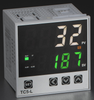
Setting TC5/FC5 Series PID Controllers to ON/OFF Control
, by Daniel Rehe, 1 min reading time
, by Daniel Rehe, 1 min reading time
Setting TC5/FC5 PID Series Controllers to ON/OFF Control
Setting TC5/FC5 Series PID Controllers to ON/OFF Control
To set the TC5/FC5 Series Controllers to ON/OFF control the procedure is the same as other brands.
Access Par1 Setting menu by simply holding the SET button for 3 seconds.
1)
Press SET key until you reach the P setting, press the left arrow to change allow for changing the P value. Set P = 0 then press SET to set P = 0 in the Controller.


